Page 1 of 1
Done Instructions_NP_EX19_EOM7-1 delete the file and download a new copy from the SAM website. • PROJECT STEPS 1. Tiana
Posted: Wed Apr 27, 2022 3:42 pm
by answerhappygod
- Done Instructions Np Ex19 Eom7 1 Delete The File And Download A New Copy From The Sam Website Project Steps 1 Tiana 1 (66.86 KiB) Viewed 41 times
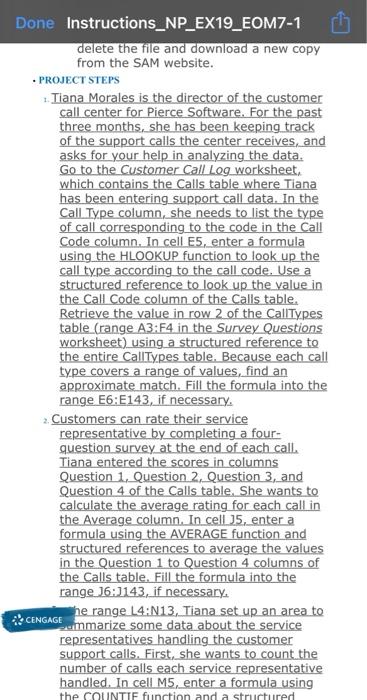
Done Instructions_NP_EX19_EOM7-1 delete the file and download a new copy from the SAM website. • PROJECT STEPS 1. Tiana Morales is the director of the customer call center for Pierce Software. For the past three months, she has been keeping track of the support calls the center receives, and asks for your help in analyzing the data. Go to the Customer Call Log worksheet, which contains the Calls table where Tiana has been entering support call data. In the Call Type column, she needs to list the type of call corresponding to the code in the Call Code column. In cell E5, enter a formula using the HLOOKUP function to look up the call type according to the call code. Use a structured reference to look up the value in the Call Code column of the Calls table. Retrieve the value in row 2 of the CallTypes table (range A3:F4 in the Survey Questions worksheet) using a structured reference to the entire CallTypes table. Because each call type covers a range of values, find an approximate match. Fill the formula into the range E6:E143, if necessary 2. Customers can rate their service representative by completing a four- question survey at the end of each call. Tiana entered the scores in columns Question 1. Question 2. Question 3, and Question 4 of the Calls table. She wants to calculate the average rating for each call in the Average column. In cell 35, enter a formula using the AVERAGE function and structured references to average the values in the Question 1 to Question 4 columns of the Calls table. Fill the formula into the range 16:1143, if necessary. CENGAGE he range L4:N13, Tiana set up an area to Dammarize some data about the service representatives handling the customer support calls. First, she wants to count the number of calls each service representative handled. In cell M5, enter a formula using the COUNTIE function and a structured