Page 1 of 1
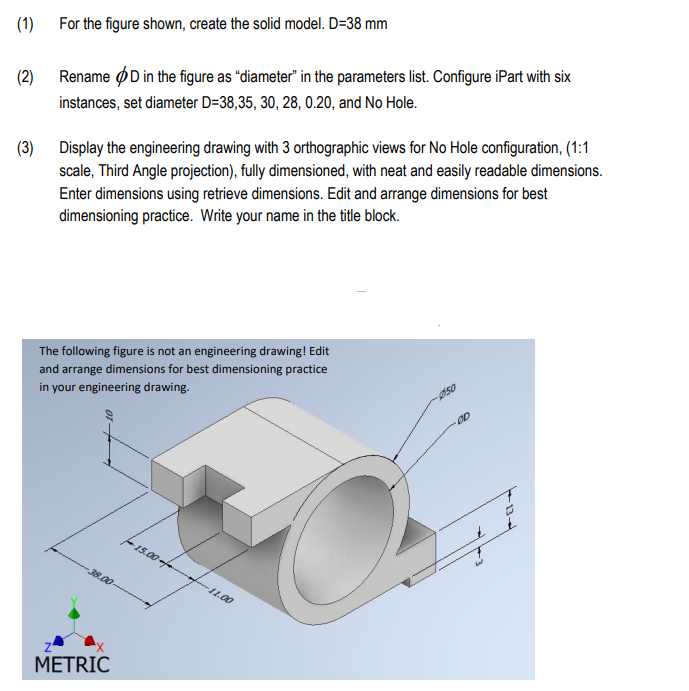
(1) For the figure shown, create the solid model. D=38 mm (2) Rename ϕD in the figure as "diameter" in the parameters li
Posted: Thu Jul 14, 2022 2:38 pm
by answerhappygod
- 1 (168.5 KiB) Viewed 42 times
(1) For the figure shown, create the solid model. D=38 mm (2) Rename ϕD in the figure as "diameter" in the parameters list. Configure iPart with six instances, set diameter D=38,35,30,28,0.20, and No Hole. (3) Display the engineering drawing with 3 orthographic views for No Hole configuration, (1:1 scale, Third Angle projection), fully dimensioned, with neat and easily readable dimensions. Enter dimensions using retrieve dimensions. Edit and arrange dimensions for best dimensioning practice. Write your name in the title block. The following figure is not an engineering drawing! Edit and arrange dimensions for best dimensioning practice