Page 1 of 1
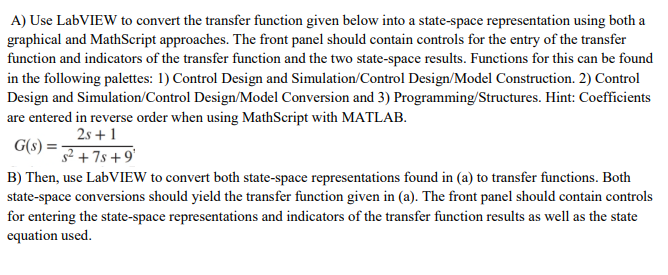
A) Use LabVIEW to convert the transfer function given below into a state-space representation using both a graphical and
Posted: Sun May 15, 2022 6:26 pm
by answerhappygod
- A Use Labview To Convert The Transfer Function Given Below Into A State Space Representation Using Both A Graphical And 1 (71.31 KiB) Viewed 46 times
A) Use LabVIEW to convert the transfer function given below into a state-space representation using both a graphical and MathScript approaches. The front panel should contain controls for the entry of the transfer function and indicators of the transfer function and the two state-space results. Functions for this can be found in the following palettes: 1) Control Design and Simulation Control Design/Model Construction. 2) Control Design and Simulation Control Design/Model Conversion and 3) Programming/Structures. Hint: Coefficients are entered in reverse order when using MathScript with MATLAB. 2s + 1 G(s) = 52 + 7 +9 B) Then, use LabVIEW to convert both state-space representations found in (a) to transfer functions. Both state-space conversions should yield the transfer function given in (a). The front panel should contain controls for entering the state-space representations and indicators of the transfer function results as well as the state equation used.