Page 1 of 1
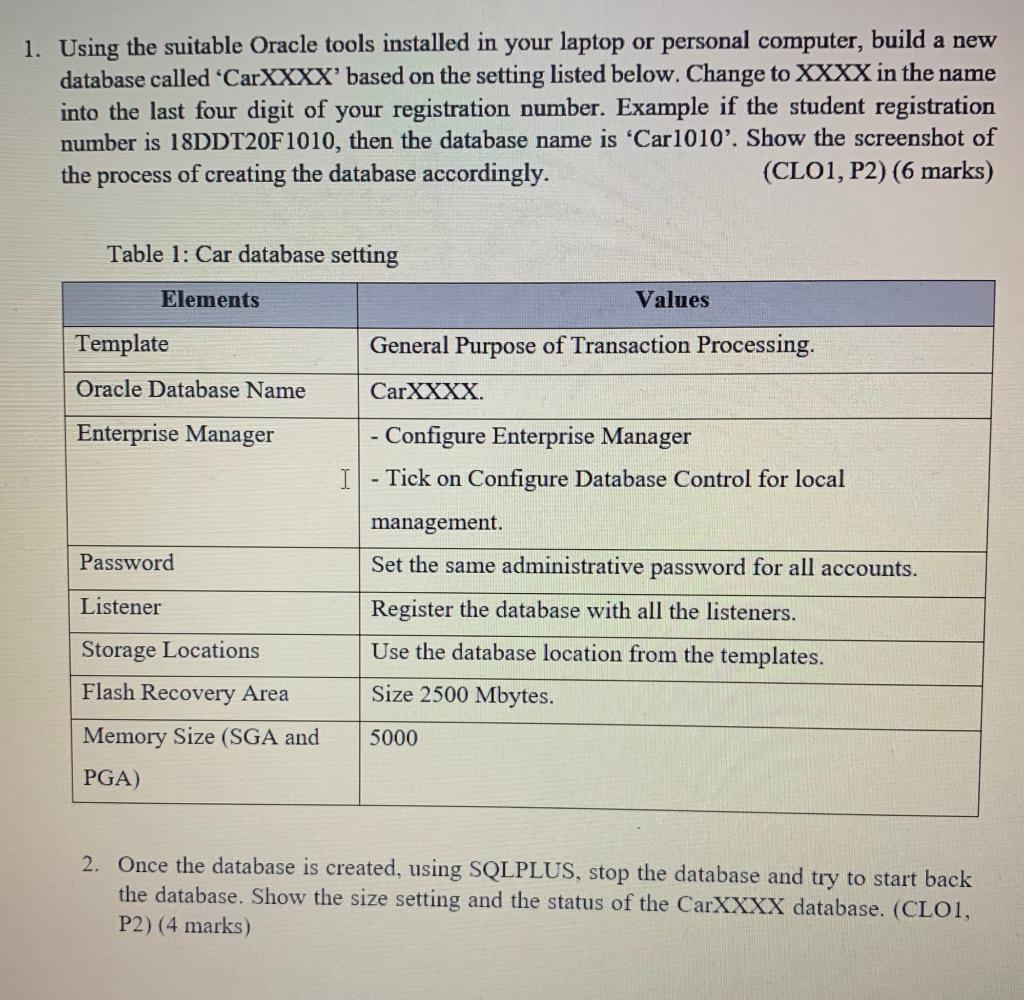
1. Using the suitable Oracle tools installed in your laptop or personal computer, build a new database called 'CarXXXX'
Posted: Sat May 14, 2022 4:47 pm
by answerhappygod
- 1 Using The Suitable Oracle Tools Installed In Your Laptop Or Personal Computer Build A New Database Called Carxxxx 1 (166.1 KiB) Viewed 71 times
1. Using the suitable Oracle tools installed in your laptop or personal computer, build a new database called 'CarXXXX' based on the setting listed below. Change to XXXX in the name into the last four digit of your registration number. Example if the student registration number is 18DDT20F1010, then the database name is 'Car1010'. Show the screenshot of the process of creating the database accordingly. (CLO1, P2) (6 marks) Table 1: Car database setting Elements Values Template General Purpose of Transaction Processing. Oracle Database Name CarXXXX Enterprise Manager - Configure Enterprise Manager - Tick on Configure Database Control for local I Password management. Set the same administrative password for all accounts. Register the database with all the listeners. Listener Storage Locations Use the database location from the templates. Size 2500 Mbytes. Flash Recovery Area Memory Size (SGA and 5000 PGA) 2. Once the database is created, using SQLPLUS, stop the database and try to start back the database. Show the size setting and the status of the CarXXXX database. (CLOI, P2) (4 marks)