Page 1 of 1
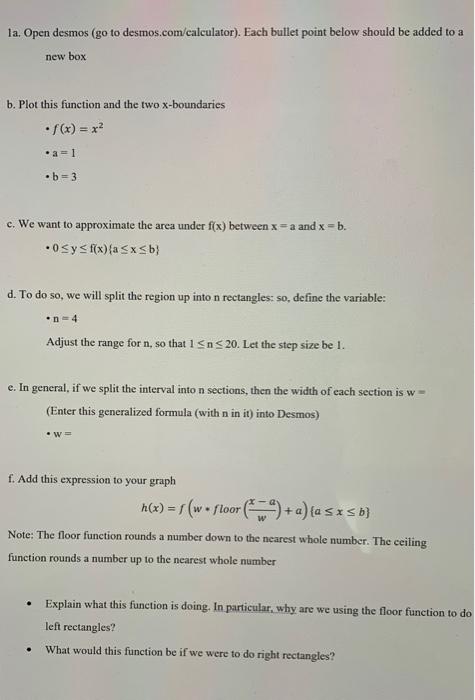
la. Open desmos (go to desmos.com/calculator). Each bullet point below should be added to a new box b. Plot this functio
Posted: Wed May 04, 2022 11:09 am
by answerhappygod
- La Open Desmos Go To Desmos Com Calculator Each Bullet Point Below Should Be Added To A New Box B Plot This Functio 1 (32.87 KiB) Viewed 30 times
- La Open Desmos Go To Desmos Com Calculator Each Bullet Point Below Should Be Added To A New Box B Plot This Functio 2 (22.51 KiB) Viewed 30 times
la. Open desmos (go to desmos.com/calculator). Each bullet point below should be added to a new box b. Plot this function and the two x-boundaries • f(x) = x² •a=1 •b=3 c. We want to approximate the area under f(x) between x =a and x = b. 0≤ y ≤ f(x) (a≤x≤b} d. To do so, we will split the region up into n rectangles: so, define the variable: •n=4 Adjust the range for n, so that 1 ≤n≤ 20. Let the step size be 1. e. In general, if we split the interval into n sections, then the width of each section is w= (Enter this generalized formula (with n in it) into Desmos) •W= f. Add this expression to your graph h(x) = f(w floor (ª) + a)(a ≤ x ≤ b) Note: The floor function rounds a number down to the nearest whole number. The ceiling function rounds a number up to the nearest whole number Explain what this function is doing. In particular, why are we using the floor function to do left rectangles? . What would this function be if we were to do right rectangles?
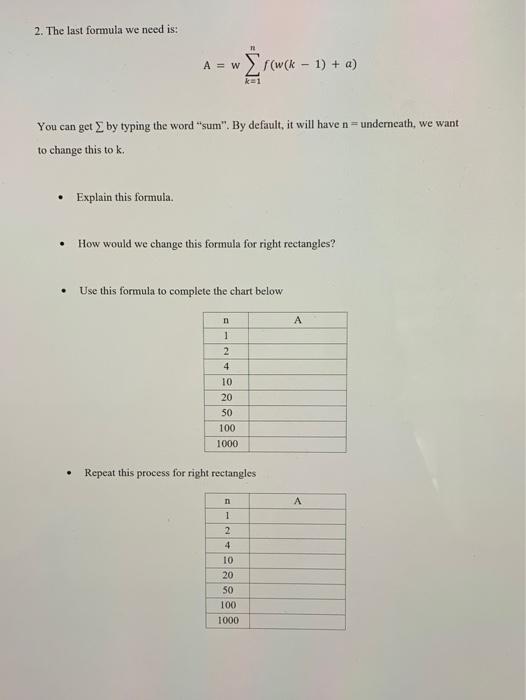
2. The last formula we need is: A = w Σf(w(k − 1) + a) - k=1 You can get by typing the word "sum". By default, it will have n- underneath, we want to change this to k. • Explain this formula. How would we change this formula for right rectangles? . Use this formula to complete the chart below n A 1 2 4 10 20 50 100 1000 . Repeat this process for right rectangles n 1 2 4 10 20 50 100 1000 A